Rust RCON
Live console, chat, event logs, command history, and persistent background sessions.
Open Rust RCONAegisRcon brings RCON console, player review, bans, reports, live map, plugin status, permissions, automation, rankings, and anti-cheat signals into one Rust admin panel.
Instead of jumping between console output, player lists, plugin commands, permission tools, screenshots, and Discord notes, staff can work from a single admin surface with live context.
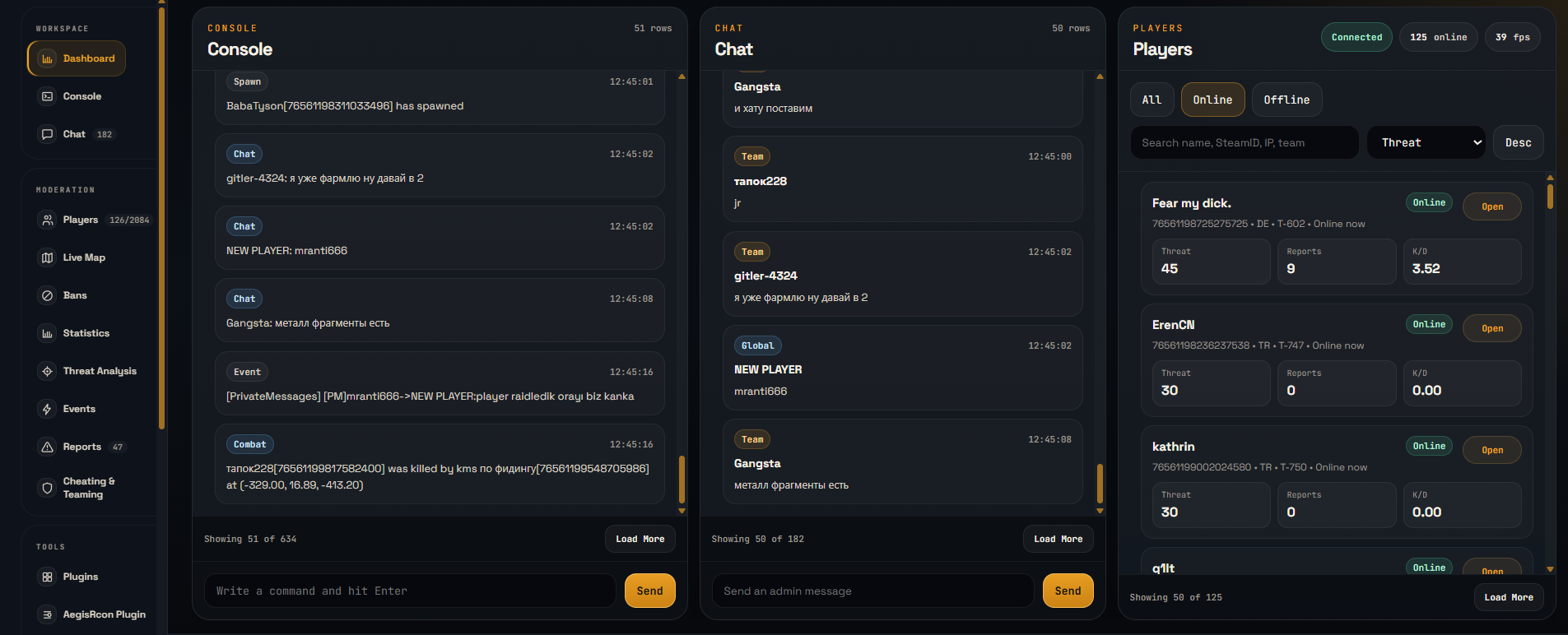
These pages explain the core parts of the Rust admin panel in more detail.
Live console, chat, event logs, command history, and persistent background sessions.
Open Rust RCONPublic leaderboards, player stats, chat commands, and category controls through AegisRank.
Open RankingReview combat, teaming, suspicious access patterns, and staff-facing risk signals.
Open Anti-CheatA web workspace for RCON commands, players, bans, reports, plugins, permissions, automation, and server health.
Yes. The console, chat, event logs, player context, and persistent RCON workflows are part of the Rust workspace.
Owners can manage staff access so trusted operators can use the tools they need without sharing raw server credentials.