Player context
Jump from console and chat activity into player review, history, teams, and actions.
Use AegisRcon as the Rust operations panel for RCON commands, server output, chat messages, events, errors, player context, persistent background monitoring, and optional host panel actions on Pterodactyl-based infrastructure.
The console keeps raw server control close to the operational context around it. Staff can review output, filter noise, inspect player activity, and keep risky commands visible. On Pterodactyl-based hosts, Pro and Max can also bring files, startup variables, automatic wipes, resource metrics, and power controls into the same workspace.
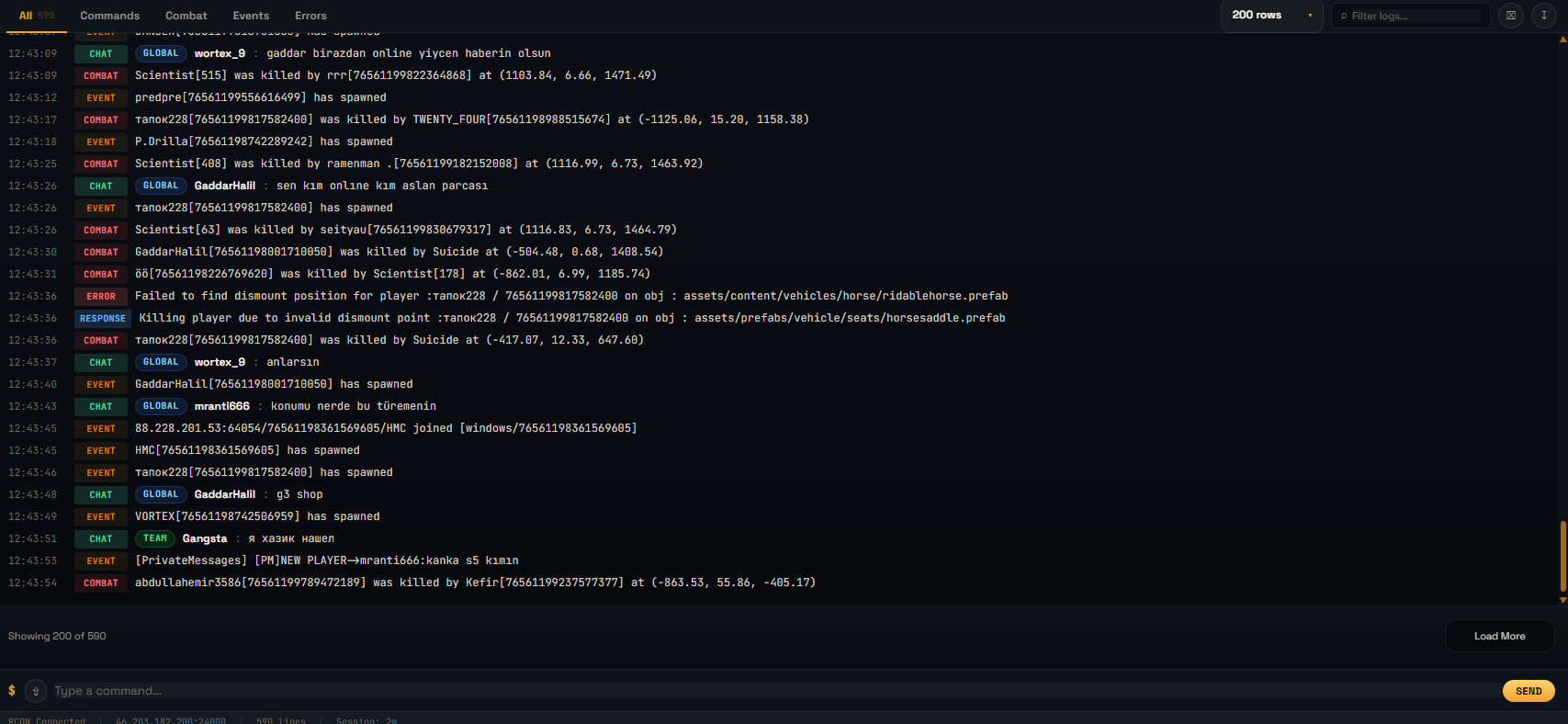
Jump from console and chat activity into player review, history, teams, and actions.
Use scheduled tasks and trigger workflows when repeated commands should not be manual.
Keep plugin, group, permission, reward, and live map tools close to console operations.
Rust RCON is the remote console interface for sending commands and reading live server output.
Paid AegisRcon plans support persistent background RCON coverage for Rust servers.
Yes. Console, chat, events, errors, and player context sit together in the workspace.
Panel Integration is for Pterodactyl-based hosts and panels using that API. Servers on TCAdmin, Windows, or another custom panel can still use RCON, player tools, anti-cheat/team review, ranking, rewards, and automation.